Your Window to Our Service Status
At WebOps Hosting, we believe in complete transparency about our service performance. Our System Status Page provides real-time information about our hosting infrastructure and any ongoing or planned maintenance work. You can access this information anytime at https://www.webops.host/serverstatus.php.
What You'll Find on the Status Page
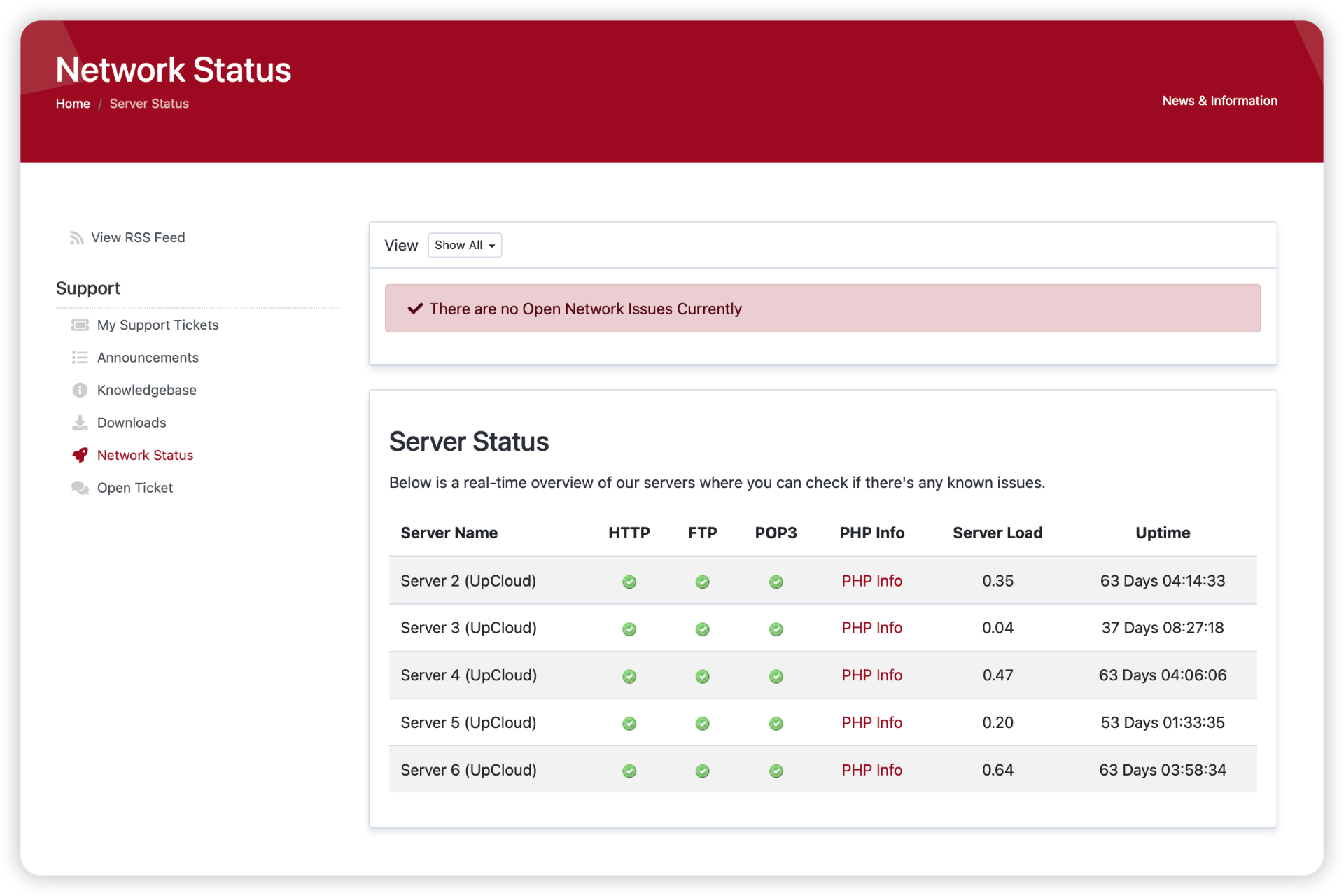
- Current Issues: Any ongoing service-affecting incidents or maintenance
- Scheduled Maintenance: Upcoming planned maintenance windows
- Server Status: Real-time performance metrics for our infrastructure
- Recent History: Previously resolved issues and their solutions
Understanding Status Indicators
Our status page uses a color-coded system to indicate different types of events:
- Green: Systems operating normally
- Yellow: Scheduled maintenance or minor issues
- Orange: Service degradation or ongoing investigation
- Red: Critical service disruption
Types of Updates You'll See
- Scheduled Maintenance: Planned updates with advance notice
- System Updates: Regular security and performance improvements
- Incident Reports: Real-time updates during unexpected issues
- Resolution Notices: Confirmations when issues are resolved
Staying Informed
While we actively monitor our systems 24/7 and handle all technical aspects of your hosting, you can use the status page to:
- Check if there are any known issues before submitting a support ticket
- View upcoming maintenance windows that might affect your services
- Understand the current state of our hosting infrastructure
Need Additional Information?
While our status page provides comprehensive system information, our support team is always ready to help with specific questions or concerns. You can reach us through:
- Support Ticket System: https://www.webops.host/submitticket.php
- Email: support [at] webops [dot] host
Support Hours:
- Regular Support: 9 AM - 5 PM, 7 days a week
- Emergency Support: Available 24/7
Remember, while we provide this transparency through our status page, you never need to handle technical issues yourself. Our team proactively monitors and manages all aspects of your hosting services, ensuring optimal performance and reliability.
